Quick Answer: Missing Pinterest Pins or boards are not always deleted. Pinterest's current Help Center says content can appear missing because you are in a second account, viewing the wrong profile or board tab, looking for an archived board, no longer have access to a group board, or because Pinterest removed the content. A deleted board may be restored for 7 days on desktop (or Android for personal accounts), but Pinterest says an individually deleted Pin cannot be recovered.
Start by identifying exactly what disappeared before deleting, recreating, or reorganizing anything.
Why Did My Pinterest Pins or Boards Disappear?
There are several possible explanations, and they do not all require the same fix.
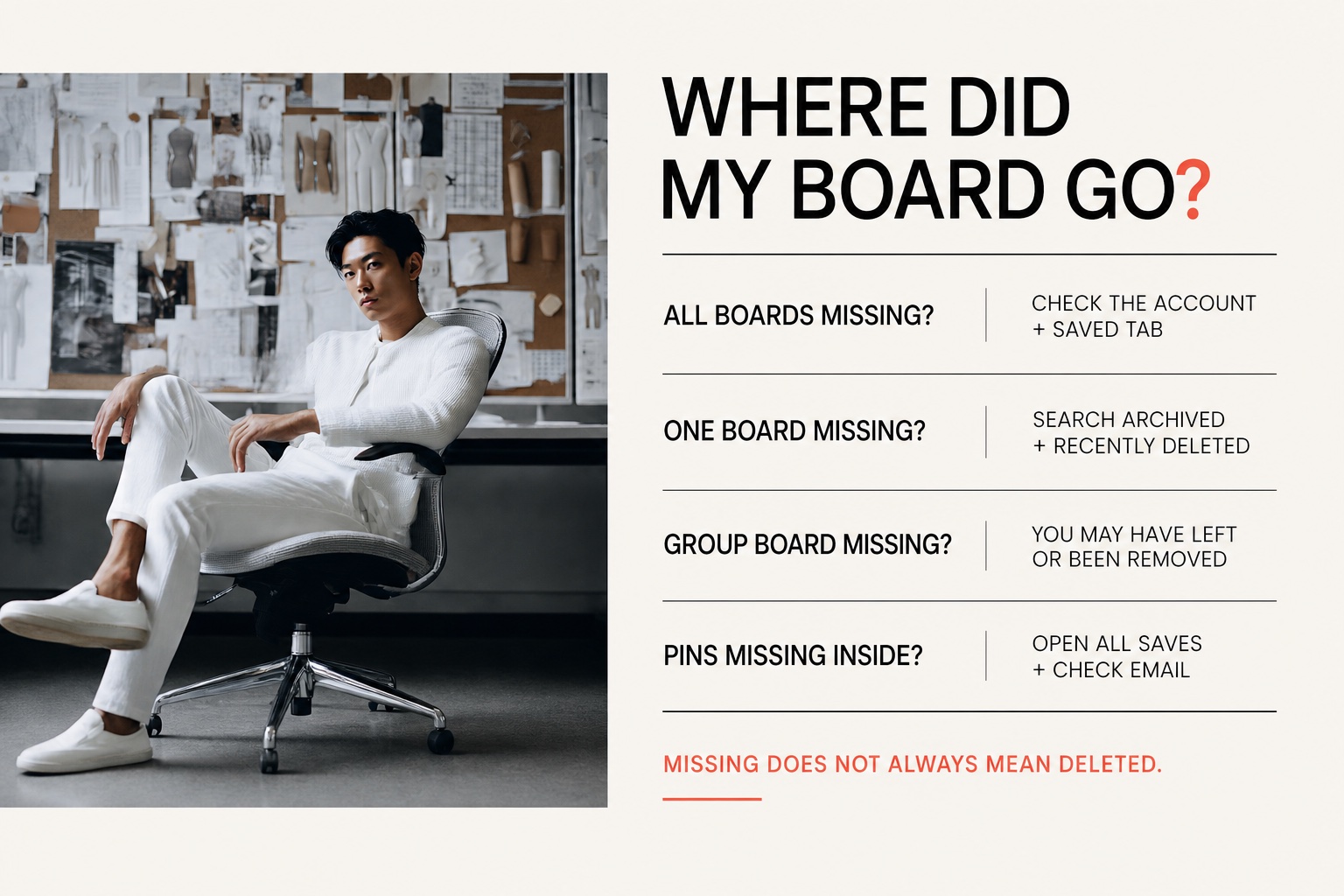
| What you see | Most likely things to check first |
|---|---|
| Every board is missing | Wrong account, business profile on Created instead of Saved, or a temporary loading problem |
| One board is missing | Archived boards, Recently deleted, or a Pinterest removal email |
| A group board is missing | You may have left the board or the owner may have removed you |
| A board opens but its Pins look missing | Open All saves instead of More ideas or Make it yours |
| One individual Pin is missing | It may have been deleted or removed for a policy reason |
| Pins are missing after you moved them | The board or section you moved them to, then All saves |
| Pinterest removed or limited a Pin | Reports and violations center, then your email |
Pinterest's official missing Pins or boards guidance lists the wrong account, archived boards, deleted content, removed content, the Created/Saved tabs, board tabs, and group-board access among the main causes.
The 60-Second Check Before You Assume Anything Was Deleted
Work through these checks in order:
- Confirm the username and profile photo. Make sure you are in the account that originally owned the boards.
- Open your profile and select Saved. Business accounts can show Created first, which makes the board collection appear to be gone.
- Open the affected board and choose All saves. A board opened on More ideas or Make it yours may not show the saved collection you expected.
- Search your Boards tab for the board name. Archived boards can still appear in board search.
- Check Recently deleted. If you deleted the board within the last seven days, it may be restorable.
- Check the email attached to the account. Pinterest says it sends an explanation when it removes a Pin or board for a policy reason.
- Try the same account on another browser or device. If everything disappears at once but returns elsewhere, the problem may be temporary rather than a permanent deletion.
Do not delete an empty-looking board or immediately build a replacement until you finish these checks. If the display is temporarily wrong, more changes can make the situation harder to untangle.
1. You May Be Logged Into the Wrong Pinterest Account
If all your boards disappeared and the profile looks unusually empty, check the account first.
Pinterest says people sometimes create a second account accidentally by signing in with Google or Apple, especially after changing devices or using a different login method. Log out, search for your original name or username, and try the email or connected login that belonged to the original profile.
Pinterest's second-account recovery instructions explain how to locate the original profile and reset its password. If you cannot access the original email or its connected Google or Apple account, Pinterest may be unable to verify that you own it.
Signs you may be in a second account
- Your profile photo, username, or bio is different
- The account follows very few people
- Every board is missing rather than only one
- The account creation history feels recent
- You signed in with Apple or Google instead of your usual method
2. Your Boards May Be Under Saved, Not Created
On a Pinterest business account, Created contains Pins you published. Your board collection lives under Saved.
If your profile looks empty:
- Open your profile.
- Select Saved.
- Look for your Boards tab and board list.
This is a view change, not content loss. Pinterest's current missing-content guidance specifically tells business users to switch from Created to Saved.
3. The Board May Be Showing the Wrong Tab
Pinterest boards can include discovery-oriented tabs such as More ideas or Make it yours. To see the Pins already stored in the board, open All saves.
Pinterest's board navigation guide describes All saves as the place to see and organize the Pins added to a board. If the board itself is present but its contents seem missing, this is one of the quickest checks.
4. The Board May Be Archived
An archived board is hidden from your normal public board list, but its Pins remain intact. You can unarchive it later.
Find an archived board on desktop
- Open your Pinterest profile.
- Select Saved.
- Search for the board by name or scroll below your active boards.
- Open the archived board and choose Unarchive if you want it visible again.
Find an archived board on mobile
- Tap your profile photo.
- Open your Boards tab.
- Scroll to the Archived boards section.
For the complete device instructions and privacy implications, use our guide to archived Pinterest boards.
5. The Board May Be in Recently Deleted
Pinterest currently gives deleted boards a seven-day recovery window. Its archive or delete guidance lists desktop and Android generally, but the business-account note explicitly specifies desktop. Use desktop for a business account; personal accounts can also use Android.
Restore a recently deleted board
- Open your profile and select Saved.
- Scroll to Recently deleted.
- Locate the board.
- Select Restore.
If you are using an iPhone or iPad, use a desktop or laptop computer; personal accounts can also use Android for the restoration process. Our deleted-board recovery guide walks through the supported steps in detail.
After seven days, Pinterest does not provide a board-restoration option.
6. An Individual Deleted Pin Cannot Be Restored
Pins and boards have different recovery rules.
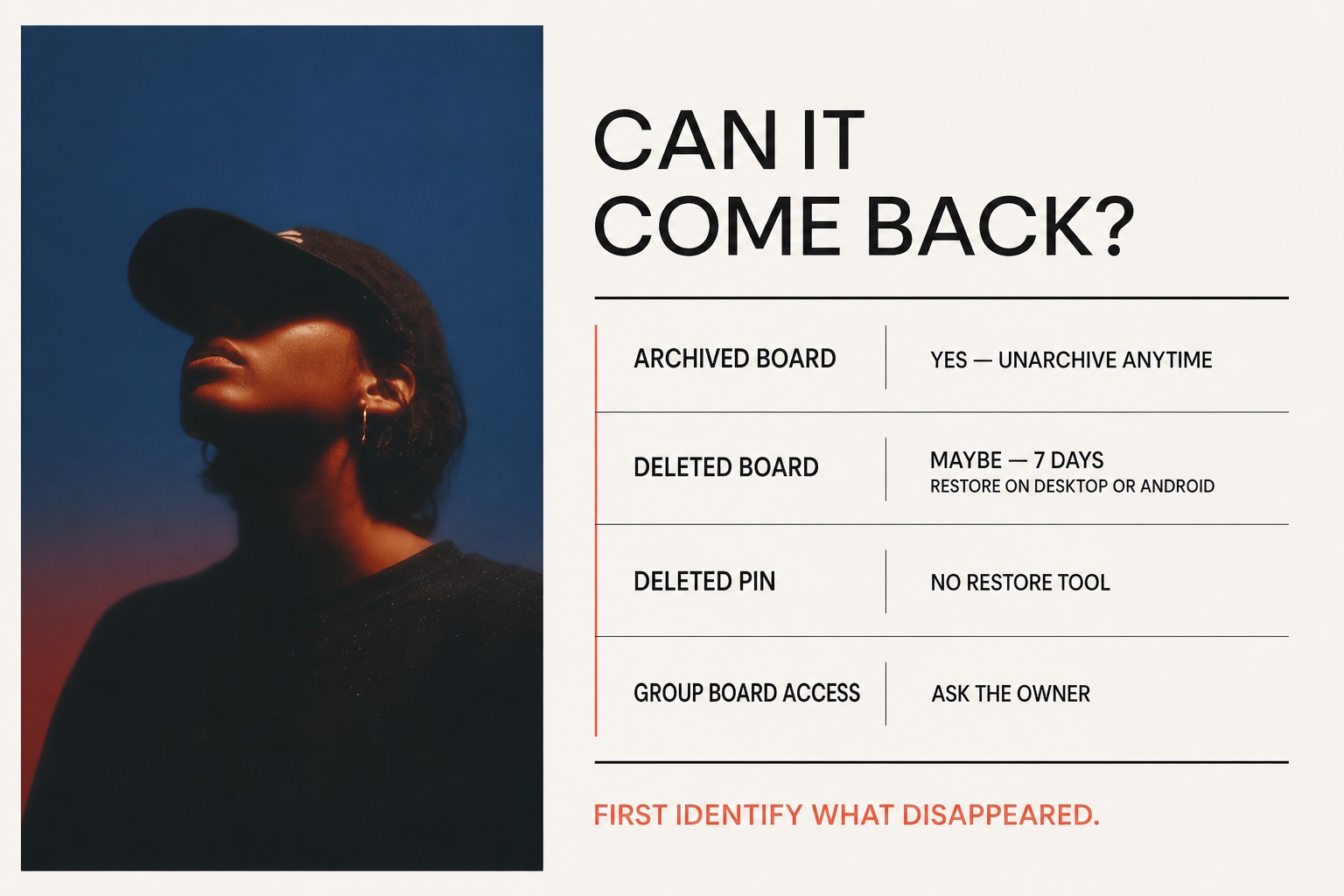
- Deleted board: potentially recoverable for seven days
- Archived board: reversible at any time
- Deleted individual Pin: Pinterest says it cannot be recovered
If you deleted a Pin that somebody else published, search for the image, title, creator, or original destination again and save another available copy. If it was your own Pin, you may be able to recreate it from the original image, video, title, description, and destination URL—but that creates a new Pin rather than restoring the deleted one.
Avoid services that promise to reveal a hidden Pinterest recycle bin or restore permanently deleted Pins. Pinterest does not document such a recovery feature.
7. Pinterest May Have Removed the Pin or Board
Pinterest may remove content that it determines conflicts with its Community Guidelines. Its missing-content page recommends checking the inbox connected to your account for a message explaining the removal.
Check the Reports and violations center
Pinterest lists the actions it has taken on your Pins and boards in the Reports and violations center. On desktop, click the arrow next to your profile picture at the top right, then Reports and violations center. In the app, open your profile, tap the settings icon, then Reports and violations center.
Pinterest explains each status this way:
- Deactivated: the Pin or board is no longer available to anyone on Pinterest.
- Limited distribution: it is still on Pinterest, but it is not shown in places like search results or the home feed.
- Unavailable in a country or region: Pinterest restricted it there under local law.
- Reinstated: Pinterest restored it.
A Pin with limited distribution has not been deleted. It is still accessible on Pinterest, but Pinterest does not feature it in places like search results or the home feed.
If you think Pinterest made the wrong decision, look for Appeal decision next to the violation. Pinterest says eligible decisions can be appealed within six months of notification. Each decision can only be appealed once, and appeals may not be available in every case.
Check:
- Your regular inbox
- Spam or junk folders
- The email address listed in Pinterest settings
- Any available notice or appeal link
If Pinterest suspended the entire account, you should see a suspension notice when you try to log in. Pinterest's account suspension guidance says users who believe a suspension was incorrect can contact Pinterest to appeal.
Do not assume a removal is the same as an accidental deletion. Follow the appeal or support path in the notice rather than relying on the seven-day board recovery process.
8. You May Have Lost Access to a Group Board
If only a collaborative board disappeared, Pinterest says you may have left it accidentally or the board owner may have removed you.
You cannot restore somebody else's group board from Recently deleted. Ask the owner to invite you again or request to join the board. If the owner deleted the group board, only the owner can check whether it is still within the recovery window.
9. Your Pins May Be in Another Board or Section
Moving a Pin does not delete it. Pinterest lets you move Pins to another board or to a section, one at a time or several at once with Organize and Move.
If Pins seem to be gone after a move:
- Open the board you moved the Pins to and select All saves to check its saved Pins.
- If you moved the Pins into a section, open that section.
- If you are not sure where they went, search your Boards tab for the board names you might have chosen.
If the Pins are not in any of your boards, work through the checks above for deleted or removed content.
Could It Be a Temporary Pinterest Problem?
Yes, especially when many boards or Pins disappear at the same time and the rest of the account also fails to load normally.
Several widely reported Pinterest incidents in 2026 temporarily affected boards and saved Pins. Those reports do not prove that every missing-board case is an outage, but they show why it is worth checking another device and waiting before making destructive changes. February outage coverage described users seeing missing boards and data-retrieval errors, while later community reports described boards returning after a temporary disruption.
Signs the problem may be temporary
- Every board or most Pins disappear at once
- Pinterest search, saving, and the home feed also stop working
- Content appears on one device but not another
- Other users report the same behavior at the same time
- Your boards return after signing out, refreshing, or waiting
Do not repeatedly delete and reinstall content while the service is unstable. Preserve screenshots, note the time, and contact Pinterest Support if the account does not return to normal.
What to Do If Nothing Works
Prepare the details Pinterest Support will need:
- Your Pinterest username and account email
- The missing board name and URL, if available
- Whether the board was public, secret, or collaborative
- When you last saw it
- The device and app/browser where it disappeared
- Screenshots of the empty profile, missing board, or error message
- Any email or policy notice from Pinterest
Use the contact path at the bottom of Pinterest's relevant Help Center article. Never send your password, two-factor code, or login session to someone claiming they can recover the account.
How to Reduce the Risk of Losing Important Boards
- Archive before deleting. If you may need a board again, archiving is reversible.
- Confirm the selected account. Check the username before reorganizing or deleting many boards.
- Keep original creative files. Pinterest is not a backup for Pins you created.
- Save important board names and URLs. A simple record makes troubleshooting easier.
- Use clear board names. Distinct names are easier to find through board search.
- Review group-board ownership. Important collaborative collections should not depend on an owner you cannot contact.
- Pause during an apparent outage. Avoid destructive actions until you know whether the problem is local or platform-wide.
If you intentionally want to remove a board, review how to delete a Pinterest board safely before confirming.
Frequently Asked Questions
Why did all my Pinterest boards disappear?
The most common checks are the account, the Saved tab, and whether Pinterest is temporarily failing to load your data. Pinterest also says an accidentally created second account can make all your original Pins and boards appear missing.
Why is one Pinterest board missing?
Search your Boards tab, check Archived boards and Recently deleted, review Pinterest emails, and confirm whether it was a group board. One missing board is more likely to be archived, deleted, removed, or no longer shared with you than an account-wide display issue.
Can I recover a deleted Pinterest board?
Yes, but only during Pinterest's seven-day recovery window. Restore it from Recently deleted on desktop (or Android for personal accounts). After that window, Pinterest does not provide a restore option.
Can I recover an individual deleted Pin?
No. Pinterest's current Help Center says deleted individual Pins cannot be recovered. You may be able to locate another copy or recreate a Pin from your original files, but that is not a restoration.
Why does Pinterest keep deleting my Pins?
Pinterest says it may remove content that goes against its Community Guidelines. Open the Reports and violations center to check whether your Pins were deactivated or had their distribution limited. If you think a decision was wrong, look for the appeal option. Pinterest allows eligible decisions to be appealed within six months. If nothing is listed, check the account, the board's All saves tab, and whether you moved the Pins.
Why did my Pins disappear after I moved them?
Moving a Pin does not delete it. Open the board or section you moved it to and select All saves.
Why did a Pinterest group board disappear?
You may have left the board accidentally or the owner may have removed you. Ask the owner to invite you again or submit a request to rejoin.
The Bottom Line
When Pinterest Pins or boards disappear, do not begin with deletion recovery. Begin with identification.
Confirm the account, open Saved and All saves, search Archived boards, check Recently deleted, review your email, and determine whether the board belonged to somebody else. That sequence separates a hidden view or temporary problem from a real deletion—and protects you from making the loss worse.
Official Sources
- Missing Pins or boards — Pinterest Help Center
- Accidentally created a second account — Pinterest Help Center
- Manage your boards — Pinterest Help Center
- Archive or delete a board — Pinterest Help Center
- Account suspension — Pinterest Help Center
- Move Pins to another board — Pinterest Help Center
- Review your reports and violations — Pinterest Help Center