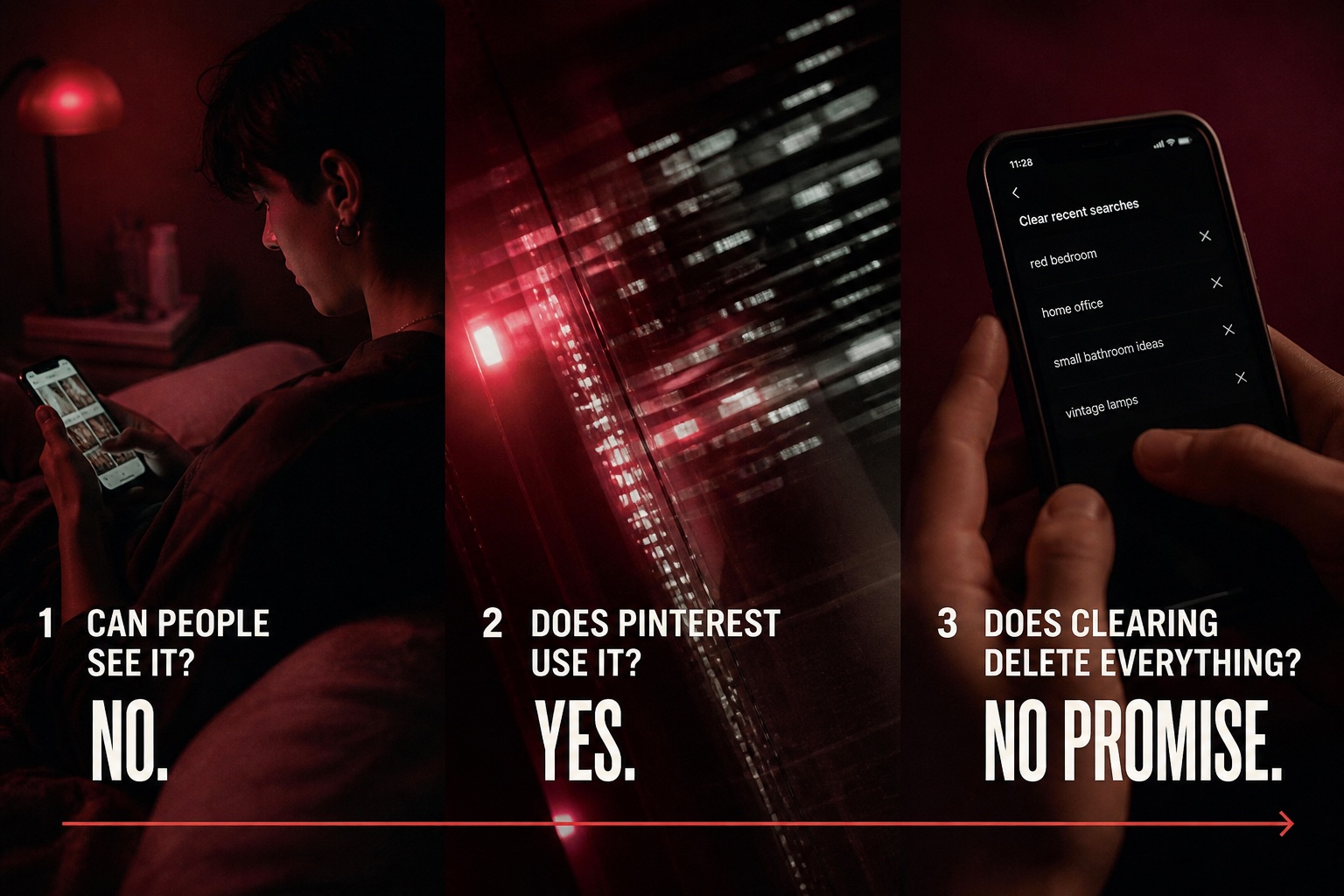
Quick answer: Other Pinterest users cannot open a list of what you search for. Your searches do not appear on your public profile, and searching for a person does not notify them. But "private from other people" does not mean "invisible to Pinterest": Pinterest says it collects the terms you search for and may use your activity to personalize recommendations.
That distinction is the most useful way to understand Pinterest search privacy. A search can be private socially while still being account data processed by the platform.
Who Can See Your Pinterest Search History?
Here is the practical breakdown:
| Who | Can they see your searches? | What that means |
|---|---|---|
| Other Pinterest users | No public search-history list | Searches are not displayed on your profile, boards, or Pins |
| Someone you search for | No notification | Searching for or opening a public profile does not alert that person |
| You | Yes, in Recent searches | Pinterest can show recent terms when you activate the search bar |
| Yes | Pinterest's Privacy Policy says it collects search terms as usage data and uses activity to make inferences and personalize the service | |
| Partners or advertisers | Not as a public recent-search list | Pinterest describes sharing some activity-related information according to your settings and location; it does not describe giving advertisers a browsable copy of your recent searches |
| Authorities with valid legal process | Potentially | Pinterest says account information may be preserved or disclosed when legally required |
The simple answer to "can people see what you search on Pinterest?" is therefore no for ordinary users, but Pinterest itself processes search activity.
Does Pinterest Notify Someone When You Search for Them?
No. Pinterest does not have a feature that tells someone you searched for their name, username, brand, or profile. It also does not provide a visitor list when you open a profile.
Visible actions are different. Following an account, commenting, or interacting with content may create activity that another user can notice. Merely typing a name into Pinterest search or viewing a public profile does not.
For the full distinction between private browsing and visible engagement, read Can People See When You View Their Pinterest?.
Does Pinterest Keep Track of What You Search?
Yes. Pinterest's current Privacy Policy lists "terms you search for" among the usage data it collects. The policy says Pinterest combines activity with other information to make inferences about your interests and preferences.
That can affect the ideas you see. If you repeatedly search for small-space storage, vegetarian dinners, or autumn wedding colors, Pinterest may use those signals when choosing Pins, boards, topics, and ads to show you.
This does not make your search history public. It means Pinterest uses private account activity inside its service.
How Pinterest Searches Can Shape Your Home Feed
Search history and recommendation history are related, but they are not the same screen.
- Recent searches are the terms shown when you return to the search bar.
- Recommendations are the Pins and ideas Pinterest predicts you may like.
- Personalization settings control some ways Pinterest uses on-platform, off-platform, or partner information, depending on your location.
Removing a term from Recent searches cleans up the visible list. It may not instantly reset every recommendation already learned from your wider activity. Saves, clicks, boards, and other interactions can also influence what Pinterest recommends.

If you use Pinterest for research or marketing, our guide to the most searched keywords on Pinterest explains how search demand works from the creator side. Your personal search list remains separate from those aggregated trend and keyword datasets.
How to Clear Recent Searches on Pinterest
Pinterest's Help Center currently lets you remove recent searches individually. Interface icons can vary slightly by device and app version.
On desktop
- Log in to Pinterest.
- Click the search bar at the top of the page.
- Find the Recent searches section.
- Click the remove icon beside each search you want to clear.
On iPhone or iPad
- Open the Pinterest app.
- Tap the search icon at the bottom of the screen.
- Tap the search bar.
- Tap the remove icon beside a recent search.
On Android
- Open Pinterest and go to Search.
- Tap the search bar.
- Find the term under Recent searches.
- Tap the remove icon beside that term.
Pinterest's official instructions describe removing items from the visible recent-search history. They do not promise that this action erases every server-side record, inference, log entry, or backup associated with the activity.
Clearing Search History vs. Deleting Pinterest Data
These actions solve different problems:
| Action | What it is for | What not to assume |
|---|---|---|
| Remove a recent search | Hides a term from your visible Recent searches list | It is not documented as a complete data-deletion request |
| Adjust privacy and data settings | Changes certain personalization or sharing choices | Available controls can differ by country or region |
| Request your Pinterest data | Lets you access a copy of personal data connected to your account | The export may take time to prepare |
| Delete your Pinterest account | Starts deletion of your account and personal data under Pinterest's process | It is much broader than clearing a search term |
If you want to understand what Pinterest holds about your account, requesting your data is more informative than simply clearing the search box.
How to Review Your Pinterest Privacy and Data Settings
On Pinterest, open Settings, then select Privacy and data. The available controls depend on where you live, but Pinterest documents settings related to personalized ads, activity sharing, off-Pinterest information, and partner information.
EU users also have a separate control for inferred signals used in personalization. The next section explains what that setting covers and what turning it off does not do.
You can also request a copy of your Pinterest data:
- Open Settings.
- Select Privacy and data.
- Find Request your data.
- Start the request and follow the verification instructions Pinterest provides.
Only the verified account holder can access that personal-data request.
What Does "Inferred Signals About You" Mean on Pinterest?
"Inferred signals about you" is a Pinterest privacy setting available to users in the EU. It controls whether Pinterest can use certain information to personalize the ideas you see, including Pins you have clicked, demographic information, and your Pinterest search history.
To change it, open Settings > Privacy and data, find Inferred signals about you, then check or uncheck the box on desktop or use the toggle in the Pinterest app.
This setting is specifically about inferred signals used for personalization. It is separate from Pinterest's ads personalization controls, its Generative AI setting for Pinterest Canvas training, and its cookie preferences.
If you do not see "Inferred signals about you," that may be because Pinterest currently documents the control for users located in the EU. Turning it off also does not mean your Pinterest account stops storing every form of activity or that clearing Recent searches deletes all underlying account data.
Does Making Your Pinterest Profile Private Hide Searches?
Your searches are not added to a public profile in the first place, so switching to a private profile is not required to hide search history from ordinary users.
A private profile controls who can see your profile, boards, and Pins. Search activity is a separate data issue. Likewise, secret boards control who can see saved content; they do not turn Pinterest search tracking on or off.
For board-level privacy, see the difference between public, secret, and archived Pinterest boards.
What About Advertisers and Data Partners?
Pinterest says it may use or share information about Pinterest activity for personalization, analytics, and ad measurement, subject to settings and regional rules. That is not the same as an advertiser opening your account and reading a list titled "Recent searches."
The safest accurate statement is:
- Your searches are not publicly exposed to other Pinterest users.
- Pinterest collects search terms and other activity.
- Some activity-related information may be used or shared according to Pinterest's policy, your settings, and applicable law.
- Pinterest does not document a feature that gives ordinary advertisers a readable copy of an individual's recent-search list.
Can Search History Be Disclosed for Legal Reasons?
Pinterest's law-enforcement guidelines say search terms associated with an account can be recovered and presented in response to appropriate legal process. This is an exceptional legal-access scenario, not a feature available to followers, profile visitors, creators, or everyday users.
It is another reason to avoid saying Pinterest searches are "completely private." They are private from the public, not exempt from platform storage or legal obligations.
Frequently Asked Questions
Can other people see my Pinterest search history?
No. Pinterest does not display your recent searches on your public profile or provide other users with a search-history list. Pinterest itself still collects and processes search activity.
Can someone tell if I search for them on Pinterest?
No. Searching for someone's name or username does not notify them. They may notice only if you perform a visible action such as following or commenting.
Is Pinterest search history private?
It is private from ordinary Pinterest users, but not from Pinterest. Pinterest says search terms are part of the usage data it collects and may use for personalization and inferences.
Does clearing Pinterest search history delete it permanently?
Pinterest's Help Center says the control removes items from Recent searches. It does not state that this deletes every retained record, inference, or log associated with those searches.
Can I stop searches from affecting my recommendations?
You can remove recent terms and review Privacy and data settings, but recommendations may also reflect Pins you click, save, and interact with. Some personalization controls differ by location.
Can advertisers see exactly what I searched for?
Pinterest describes using and sharing some activity-related information for ads and measurement depending on settings and region. It does not describe giving advertisers a browsable list of an individual's recent searches.
The Bottom Line
Other Pinterest users cannot see what you search for, and Pinterest does not notify people when you search for or view them. Pinterest itself does collect search terms and can use activity to personalize what you see.
If you want a cleaner visible history, remove items from Recent searches. If you are concerned about how the underlying data is used, review Privacy and data settings or request a copy of your Pinterest data.